Studio Control
A native Mac app for the lights, cameras and mics in my studio. I designed it and built it with Codex.

My studio has a lot of lights in it, plus a few cameras and mics. Some connect over Bluetooth, some over Wi-Fi, and they all came with different apps. For some of them it was easier to just adjust the light by hand. It was all over the place. I wanted one place on my Mac where I could control everything, so I built one for myself, and I've been having fun with it.
I worked out what Studio Control should do and how it should look, drew the control materials in Figma, and built it with Codex. Codex wrote the code: Swift and SwiftUI for the app, Metal for the lighting, Bluetooth control for each light (built on existing open-source protocol work), and the bridge to Sony's camera SDK. I'd describe the next piece, sometimes with a Figma file attached. Codex would build it into the real app, and I'd try it with the actual lights on.
Two kinds of light
The lights aren't all the same kind of thing. The key and fill lights point at my face and mostly stay where they are. The RGB lights behind me set the mood, and they can do a lot more than color and brightness: modes, effects, speeds. One prototype put every light in the same stack of sliders, and you had to read every label to find anything.
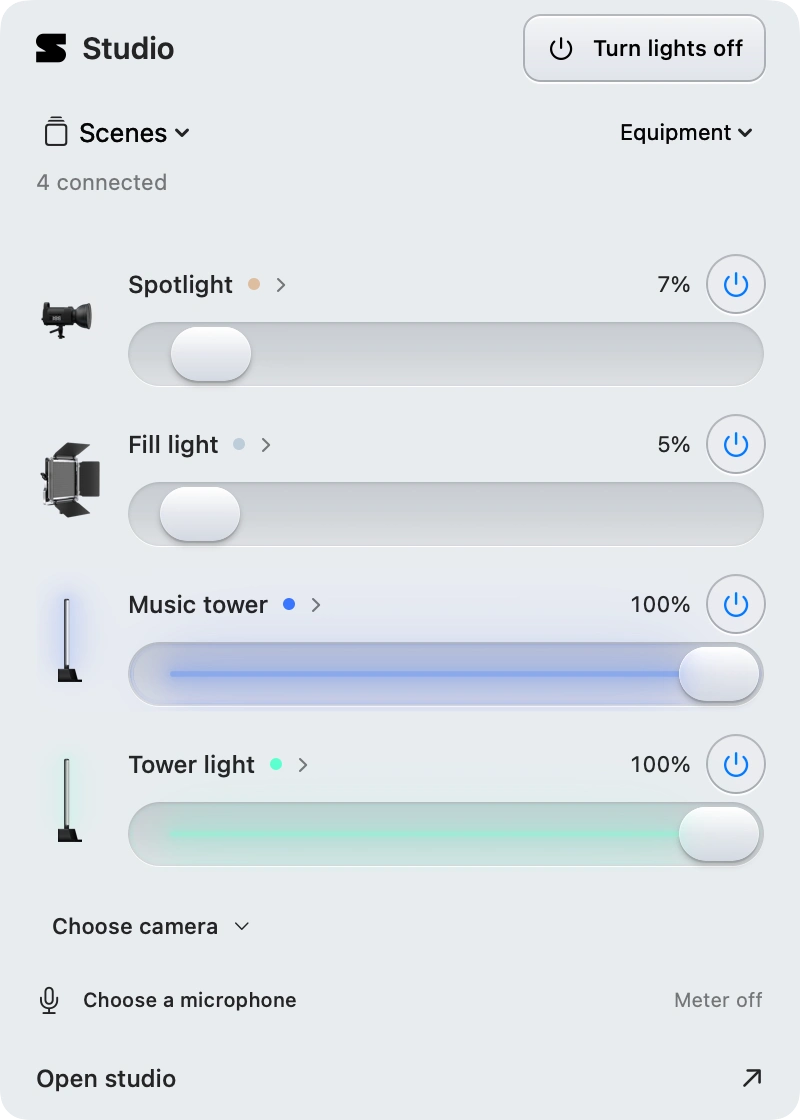
So I set the structure. First, a few whole-room scenes. Each one saves whichever lights you pick, and that can include the face lights, because they have color too and sometimes a warmer or cooler face should match the background. Then each light gets a simple front with what you need day to day, and its deeper settings one step behind. That first went in as cards you flipped over. In the menu bar panel today, each light shows its icon, brightness and power, and clicking it opens its color, modes and settings.
I usually want the lights up before the camera is on. So the lighting button turns on my saved lighting and leaves the camera alone, and connecting a camera is its own step. When nothing in the studio is on, the menu bar panel shrinks to a single row around that button.
The icons are the lights
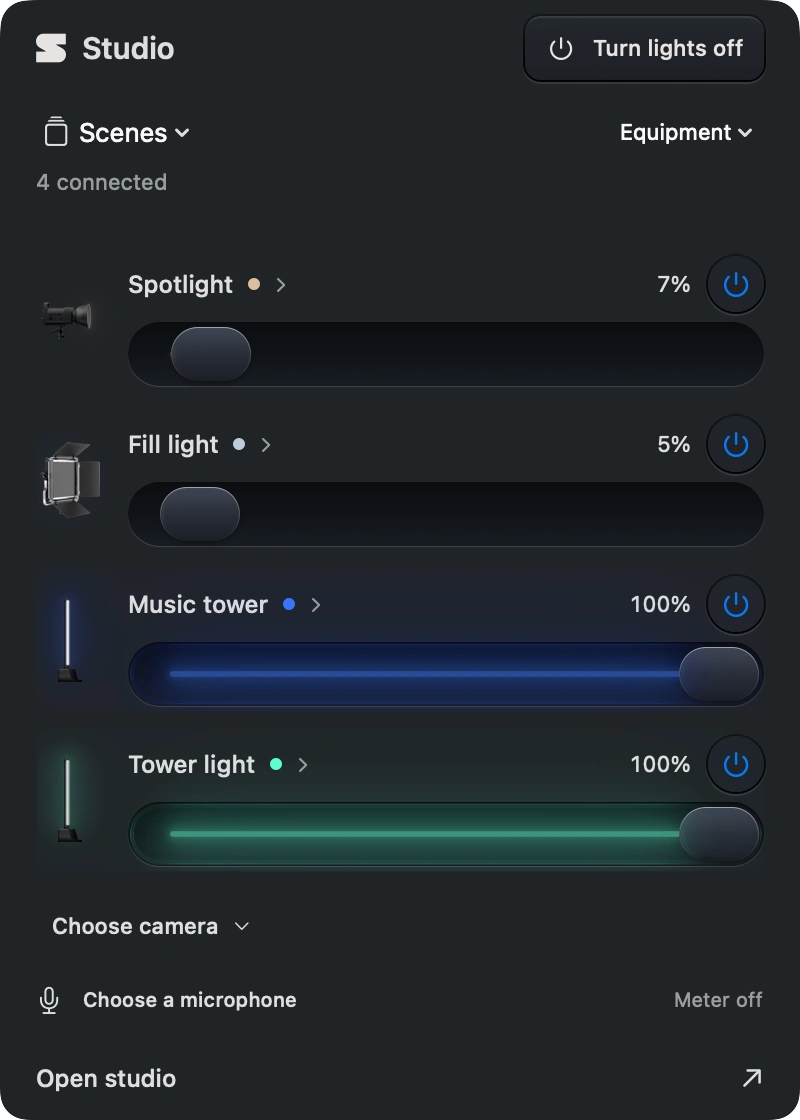
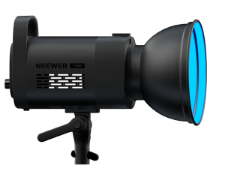
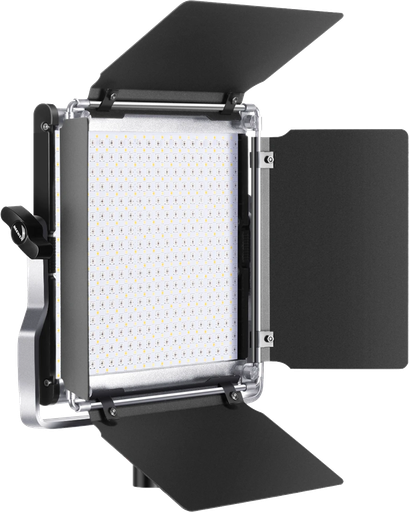
The light artwork in the app is detailed, almost like small 3D renderings, and I liked it as it was. I wanted those same icons to show what the real lights were doing: on or off, how bright, what color.
Codex built it without redrawing anything. The app splits each illustration into layers once: the body of the light, the part that emits, and a faint highlight. The body stays as drawn. The emitting layer takes the light's current color and fades with its brightness. The masks are fitted model by model. On the RGB660 PRO panel, the mask follows the angle of the LED board so you can still see the texture of the individual diodes.
In the walkthrough I turn one of the lights warmer. The room warms up, and so does the little icon in the window, with a glow around it. It isn't only warm and cool, either. The RGB lights can be any color, and their icons follow. When I wanted to put together some posts about the project, the icons going through colors and brightness levels were the first thing I wanted to show. I liked them best changing color together, in a balanced grid.
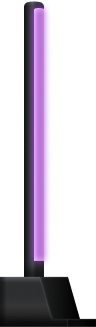
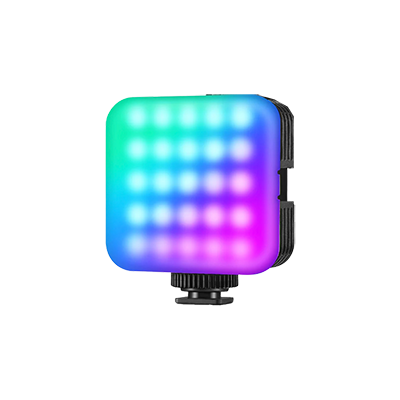


The interactive light couldn’t load. Reload to try again.
Light that lands on the controls
I also wanted to have fun with the sliders, which show up all over the app. The idea was for the lights in the interface to act like light sources. An icon shouldn't just glow. It should light up the tray around it and catch its edges, and a slider should carry some of that glow as it fills.
The first versions inside the app were glow painted on top. To me they looked faked, not lit. So I had Codex set up a playground in the browser, just the sliders and containers, where we could explore away from the app. I pointed it at open-source shaders from Paper, Shaders.com and Vercel. The first round had five treatments, including caustic glass, liquid metal and smoked glass. Caustic glass looked like water, and liquid metal had nothing to do with light. None of them looked like a light source lighting up the things around it.
The next round was built around exactly that. The original artwork became area lights, and the trays, bevels and slider thumb became actual geometry receiving the light. There were three surface finishes to compare. The polished edges looked good to me, so I picked that one, with the glow kept inside each element instead of spilling out.
Codex brought that into the native app in Metal. It uses linearly transformed cosines, the area-light method from Heitz, Dupuy, Hill and Neubelt at SIGGRAPH 2016. Each tile gets its own small lighting scene, clipped to its rounded shape, and the slider's fill became a narrow glowing rail.
One build along the way also changed the slider itself. We'd already worked that slider out from my Figma materials, so I asked for the original back. It came back with the lighting still on it.
Controls over a live picture
Early on I tried designing the main window from the outside in. If this were a sci-fi command center for all my gear, what would it look like? The console that came out of that is built around the camera image, which takes up most of the window.
The controls that sit on top of the image needed their own treatment, because they're over a moving picture you're using to judge exposure and framing. I wanted them to stay out of the way. A flat dark backing did that but looked generic, so I asked what a native Mac app could do there. On macOS 26 they're Liquid Glass now, in Apple's clear variant for media, and any darkening stays behind the control instead of covering the picture.
For the rest of the interface, Codex matched my Figma materials from the actual layer styles, down to the inner highlight. Then I went through all of it for consistency. A badge over the picture should float, not look carved in. The selected part of a segmented control should look like the slider thumb, sitting in a recessed track. Text fields shouldn't look like slider tracks. And the segmented controls and sliders should share one shape instead of mixing rounded rectangles and pills.
The rest of the room
The accent lights behind me are the fun ones. They run their own effects with speed and brightness controls, and the app carries the BanlanX tower's whole effect list, including the ones that react to sound. In the walkthrough one of them is cycling a rainbow behind me.
There's a mic meter with a device picker. There's also a camera switcher that lists the cameras already connected to the Mac, and new connections are set up from the same place. You can preview LUTs live on the camera image, bypass them to see the real color, and turn a creative look's intensity up or down. It only changes the preview, never the recording.
For the Sony ZV-E1, we pulled in Sony's Camera Remote SDK. You can click the image to focus or pick a subject to track, and the camera's own tracking frame shows up over the live preview.
One app
At one point I brought Home Assistant to Codex with a specific question: should it be the plumbing underneath the app? It has open-source integrations for a huge range of devices. The first proposal made it an optional add-on behind the native app. A later build asked people to install Home Assistant themselves before they could use mine. I didn't want either. I wanted Studio Control to use that work while staying its own app, with its own design.
So the app now carries its own copy of Home Assistant's core, running in the background as part of Studio Control. There's no separate install and none of Home Assistant's interface. That's how setup can look for network lights from brands like Philips Hue, Elgato and Nanoleaf, alongside the Bluetooth lights already in my room.
I wanted to be able to share it with friends, so it ships as a DMG, with updates over the air through Sparkle. Before it could go anywhere, it needed a real icon. Codex's placeholder wasn't really a logo, so I gave it the shape for the mark. That S is the app icon now, and it's up in my menu bar.
You can just build stuff.
Built with
 Swift
Swift SwiftUI
 AppKit
 Metal
Metal AVFoundation
 Core Image
 CoreBluetooth
 Sony SDK
 C++
C++
The light control builds on open-source protocol work, including NeewerLite, UniLED and elkbledom, which are credited in the app's third-party notices. Network lights run through an embedded Home Assistant Core. Area-light shading follows Heitz, Dupuy, Hill and Neubelt (SIGGRAPH 2016). Updates use Sparkle. The shader playground used Three.js, and its early studies drew on open-source work from Paper, Shaders.com and Vercel.